
-
Cisco Catalyst 1300 C1300-8MGP-2X Layer 3 Switch - C1300-8MGP-2X
Regular price $738.99 USDRegular priceUnit price per -
Cisco Catalyst C1300-48MGP-4X Layer 3 Switch - C1300-48MGP-4X
Regular price $2,664.99 USDRegular priceUnit price per -
Cisco Catalyst 1300 C1300-24XTS Layer 3 Switch - C1300-24XTS
Regular price $3,199.99 USDRegular priceUnit price per -
Cisco Catalyst 1300 C1300-24XT Layer 3 Switch - C1300-24XT
Regular price $3,248.99 USDRegular priceUnit price per -
Cisco Catalyst 1300 C1300-24XS Layer 3 Switch - C1300-24XS
Regular price $2,531.99 USDRegular priceUnit price per -
Cisco Catalyst C1300-16XTS Layer 3 Switch - C1300-16XTS
Regular price $2,481.99 USDRegular priceUnit price per -
Cisco Catalyst 1300-12XT-2X Layer 3 Switch - C1300-12XT-2X
Regular price $1,598.99 USDRegular priceUnit price per -
Cisco Catalyst C1300-12XS Layer 3 Switch - C1300-12XS
Regular price $1,561.99 USDRegular priceUnit price per -
Ubiquiti Pro XG 48 PoE+++ 48-Port Layer 3 Switch (USW-Pro-XG-48-PoE)
Regular price $2,887.99 USDRegular priceUnit price per -
Ubiquiti USW-ENT-24-POE | 24-Port Enterprise Layer 3 PoE+ Switch with 2.5GbE & 10G SFP+
Regular price $894.99 USDRegular priceUnit price per$999.99 USDSale price $894.99 USDSold out -
Ubiquiti Enterprise 48-Port 2.5 GbE PoE+ Layer 3 Switch (USW-Enterprise-48-PoE)
Regular price $1,704.99 USDRegular priceUnit price per$1,999.99 USDSale price $1,704.99 USDSale


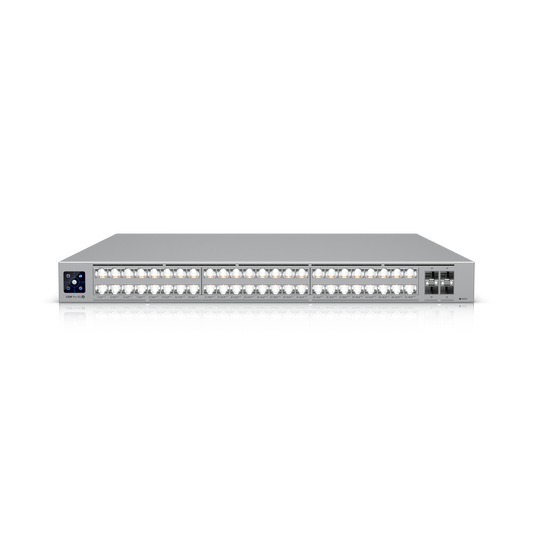
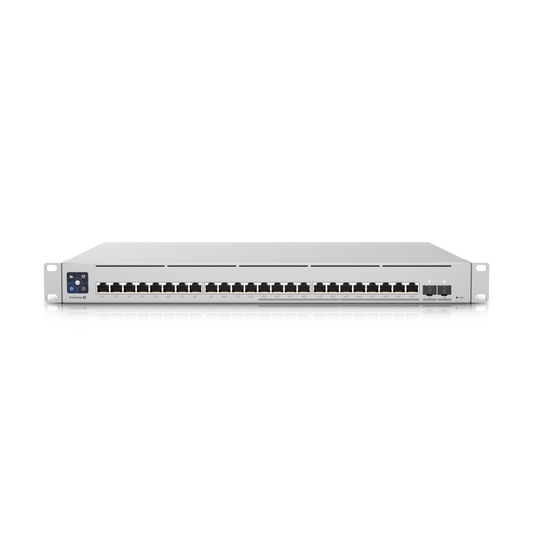
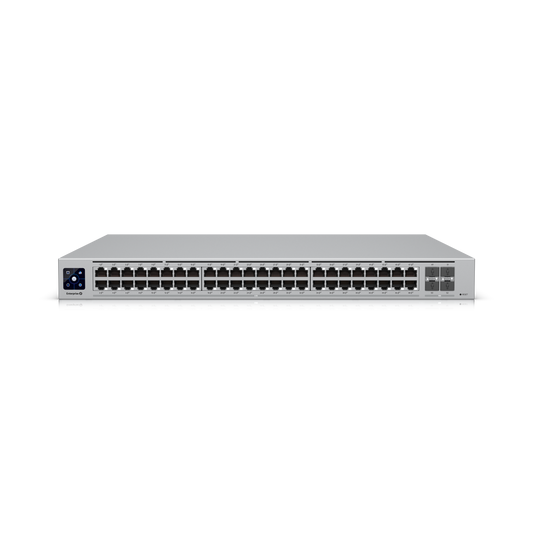
Full Control Over VLANs, QoS, and Network Traffic
Managed switches give network administrators control over traffic segmentation, quality of service, and port-level monitoring that unmanaged switches cannot provide. Models from Ubiquiti, HPE Aruba, Cisco, Netgear, and TRENDnet range from 8-port smart-managed desktops to 48-port fully managed rack units with Layer 3 routing. Browse the full ethernet switches collection for every management level and speed tier.
Managed Switches for Every Environment
- VoIP and unified communications — QoS policies that prioritize voice and video packets over bulk data transfers, preventing call quality degradation during file downloads
- IP camera and surveillance networks — VLAN isolation keeping surveillance traffic separated from production data, with IGMP snooping for efficient multicast streaming
- Multi-tenant buildings and co-working spaces — per-port VLAN assignments isolate each tenant's traffic on shared physical infrastructure without cross-contamination
- Healthcare and compliance-sensitive environments — 802.1X port authentication and access control lists restrict access to sensitive network segments containing patient data
- Enterprise campus networks — LACP link aggregation, spanning tree, and SNMP monitoring provide the redundancy and visibility required for mission-critical uptime
What Separates a Managed Switch
VLANs, QoS, and monitoring are the three pillars of managed switching. 802.1Q VLAN tagging segments voice, data, IoT, and guest traffic onto isolated broadcast domains on the same physical infrastructure. QoS prioritizes latency-sensitive traffic like VoIP and video conferencing over bulk file transfers. SNMP monitoring exposes port-level statistics, error counts, and utilization trends, enabling proactive troubleshooting before users notice degradation. Ubiquiti UniFi and HPE Aruba offer cloud-managed platforms for centralized control across multiple sites, while Cisco and Netgear provide both CLI-driven and web-managed options.
Smart Managed vs. Fully Managed
Smart managed switches (sometimes called web-managed) offer a simplified browser interface with basic VLAN, QoS, and port-mirroring controls. Fully managed switches add CLI access via SSH, SNMPv3, RADIUS authentication, access control lists, dynamic routing (OSPF, RIP), and stacking for multi-switch deployments. Choose smart managed for small offices that need basic segmentation and choose fully managed for enterprise networks that require granular control and advanced routing.
Complete Your Network
- PoE Switches — managed and unmanaged switches that deliver power and data over a single Ethernet cable
- Unmanaged Switches — zero-configuration plug-and-play switches for simple port expansion
- 10G Network Switches — high-speed backbone switches for storage networks and virtualization clusters
- WiFi 6 Access Points — enterprise wireless that pairs with managed switches for unified network control
- Rack Cabinets — enclosed and open-frame racks for organized switch and infrastructure deployment