- Description
- Specifications
24-Inch 4K UHD Interactive Pen Display with 10-Point PCAP Touch, MPP2.0 Active Stylus, USB-C Single-Cable Connectivity, and Built-In Kickstand for Podium Presentations and Digital Annotation
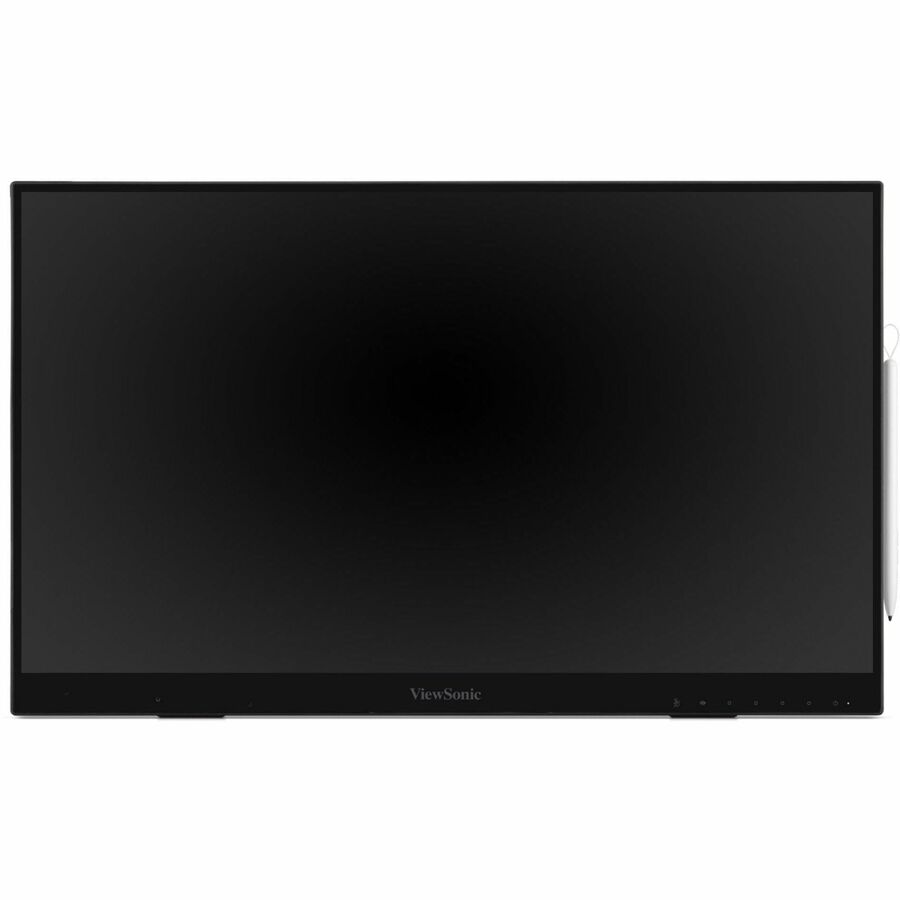
The ViewSonic ID2456-4K is a 24-inch 4K UHD (3840x2160) interactive pen display designed for front-of-room presentations, classroom instruction, and collaborative annotation. The PCAP 10-point touch panel responds to fingers and the included MPP2.0 active stylus simultaneously, allowing natural handwriting, drawing, and gesture control on a bezel-less IPS display. USB-C single-cable connectivity delivers video, touch data, and power between the display and any laptop or Chromebook, eliminating multi-cable setups at podiums and lecterns. The HDMI output mirrors or extends content to a larger display at the front of the room, so presenters face their audience while annotating content on the ID2456-4K at their podium.
Part of ViewSonic's myPodium product line, the ID2456-4K targets the gap between basic USB drawing tablets and full interactive flat panels. The battery-free MPP2.0 stylus delivers 4096 levels of pressure sensitivity with tilt recognition for precise writing and illustration. A built-in USB hub with 6 ports connects peripherals through the display, keeping desks and podiums clean. The integrated kickstand positions the display at a comfortable writing angle, and VESA 75x75mm mounting allows permanent podium installation. Cross-platform support covers Windows, Mac, Android, and ChromeOS without driver installation on most systems.
Where the ID2456-4K Fits
- Classroom and lecture podiums where instructors annotate slides, solve equations, and mark up documents on the 4K touch surface while facing students, with HDMI output mirroring content to the room's main display
- Corporate presentation spaces where presenters highlight data, draw diagrams, and annotate reports during meetings using the pressure-sensitive stylus, all connected to their laptop via a single USB-C cable
- Design review and collaborative workstations where the 4K resolution and 10-point touch enable precise markup of architectural drawings, CAD models, and creative assets with finger and stylus input simultaneously
What the ID2456-4K Delivers
- 4K UHD IPS with 10-point PCAP touch: 3840x2160 resolution on a 23.8-inch IPS panel with 178-degree viewing angles and bezel-less design. Projected capacitive touch responds to 10 simultaneous contact points for multi-finger gestures alongside stylus input.
- MPP2.0 active stylus with 4096 pressure levels: Battery-free stylus with tilt recognition creates natural thick-to-thin strokes for handwriting and illustration. Charges wirelessly in the included external holder and stores securely when not in use.
- USB-C single-cable connection: One USB-C cable carries 4K video, touch data, and power between the display and a connected laptop. Eliminates the multi-cable mess at podiums and enables plug-and-play setup in seconds.
- HDMI output for room display mirroring: Dedicated HDMI output sends the annotated content to a larger front-of-room display or projector. Presenters interact with content at the podium while the audience views it on the main screen.
- Built-in kickstand and USB hub: Integrated kickstand positions the display at an ergonomic writing angle. Six USB ports provide hub connectivity for peripherals through the display. VESA 75x75mm mount supports permanent installation.
What Is the Difference Between a Pen Display and a Graphic Tablet
A pen display like the ID2456-4K has a built-in screen that shows your content directly under the stylus tip, so you draw, write, and annotate exactly where you see the cursor. A graphic tablet (also called a pen tablet) has no screen and requires you to look at a separate monitor while drawing on a blank surface. Pen displays provide the direct hand-eye coordination that makes them ideal for annotation, handwriting, and presentation markup where the stylus position needs to match what you see on screen.