
4K Monitors
See every detail. Explore 4K monitors for work, creativity, and entertainment.
119 products

- Free shippingOn orders over $1,000
- Business pricingVolume & trade discounts
- Expert supportSpec help from pros



-
Samsung F32TU874VN 32" Class 4K UHD LCD Monitor - 16:9 - Dark Blue Gray - F32TU874VN
Regular price $651.99 USDRegular priceUnit price per -
Dell Pro Plus P2725QE 27" Class 4K UHD LED Monitor - 16:9 - Black, Silver - DELL-P2725QE
Regular price $603.99 USDRegular priceUnit price per -
Acer Vero B277K LB 27" Class LCD Monitor - 16:9 - Black - UM.HB7AA.B01
Regular price $291.99 USDRegular priceUnit price per -
Acer CB272K L2 27" Class LCD Monitor - 16:9 - Black - UM.HB2AA.201
Regular price $324.99 USDRegular priceUnit price per -
Lenovo ThinkVision P32UD-40 32" Class 4K UHD LED Monitor - 16:9 - Raven Black - 64A8XAR2US
Regular price $757.99 USDRegular priceUnit price per -
Asus ProArt PA32USD 32" Class 4K UHD OLED Monitor - 16:9 - PA32USD
Regular price $3,110.99 USDRegular priceUnit price per -
Asus ProArt PA27USD 27" Class 4K UHD OLED Monitor - 16:9 - PA27USD
Regular price $2,534.99 USDRegular priceUnit price per -
Asus ProArt PA27UCDMR 27" 4K QD-OLED Creative Monitor (PA27UCDMR)
Regular price $1,497.99 USDRegular priceUnit price per -
ViewSonic VX4381U-4K 43 Inch 4K Monitor, with HDR10 for Seamless Home and Office Entertainment, Multi-Picture Support for 4 Simultaneous Inputs, 65W USB-C, HDMI, and DisplayPort Inputs - VX4381U-4K
Regular price $665.99 USDRegular priceUnit price per -
ViewSonic VX3267U-4K 32" Class 4K UHD LED Monitor - 16:9 - Black - VX3267U-4K
Regular price $381.99 USDRegular priceUnit price per -
ViewSonic VX2776-4K-MHDU 27 Inch 4K Monitor, IPS with 65W USB-C and HDR10 for Ultimate Home and Office Entertainment, Ultra-Thin Bezels, DisplayPort for Daisy Chain, and HDMI Inputs - VX2776-4K-MHDU
Regular price $320.99 USDRegular priceUnit price per -
Samsung S27H804EAN 27" Class 4K UHD LCD Monitor - 16:9 - S27H804EAN
Regular price $389.99 USDRegular priceUnit price per$699.99 USDSale price $389.99 USDIn stockSale -
HP 732xk 32" Class 4K UHD LED Monitor - 16:9 - Black, Silver - B7JM6AA#ABA
Regular price $1,120.99 USDRegular priceUnit price per -
Dell Pro P P4326QEB 43" Class Webcam 4K UHD LED Monitor - 16:9 - Black - DELL-P4326QEB
Regular price $1,279.99 USDRegular priceUnit price per -

LG 32BP55U-B 32" Class 4K UHD LCD Monitor - 16:9 - Black, Textured Black - TAA Compliant - 32BP55U-B
Regular price $493.99 USDRegular priceUnit price per -
Asus ProArt PA279CDV 27" Class 4K UHD OLED Monitor - 16:9 - Silver - PA279CDV
Regular price $805.99 USDRegular priceUnit price per -
ViewSonic VP2766-4K 27 Inch 4K UHD ColorPro Monitor, IPS Display with 90W USB-C, 100% sRGB Pantone Validated, and 120Hz for Creative Work, Graphic Design, and Video Editing - VP2766-4K
Regular price $394.99 USDRegular priceUnit price per -
LG 32BN50U-B 32" Class 4K UHD LCD Monitor - 16:9 - Textured Black - TAA Compliant - 32BN50U-B
Regular price $385.99 USDRegular priceUnit price per -
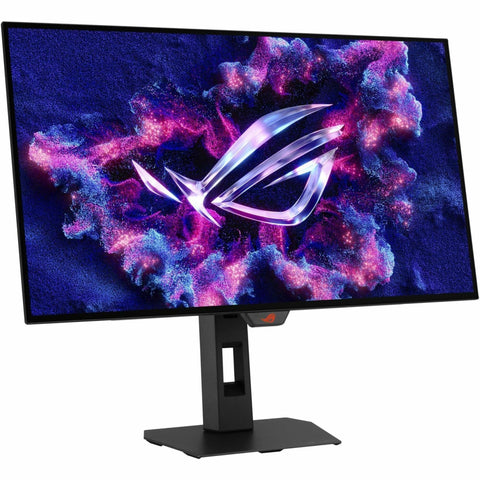
Asus ROG Strix XG27UCG-W Gen2 27" Class 4K UHD Gaming LCD Monitor - 16:9 - XG27UCGR-W
Regular price $494.99 USDRegular priceUnit price per -
Acer Nitro XV272K V5 27" Class LCD Monitor - 16:9 - Black - UM.HX2AA.501
Regular price $376.99 USDRegular priceUnit price per -
MSI MPG 272URX QD-OLED UHD 240Hz 27 inch Gaming Monitor - MPG272URXQDOLED
Regular price $1,099.99 USDRegular priceUnit price per -
MSI MAG 321UPD E14 32" Class 4K UHD Gaming LCD Monitor - 16:9 - MAG321UPDE14
Regular price $402.99 USDRegular priceUnit price per -
Asus ROG Strix XG32UCWMG 32-inch 4K UHD OLED Gaming Monitor - 240Hz Dual Mode, 0.03ms, HDR, KVM, Black
Regular price $1,151.99 USDRegular priceUnit price per -
Asus ROG Strix XG27UCDMG 27-inch 4K QD-OLED Gaming Monitor - 240Hz, 0.03ms, DisplayHDR 400, USB-C 90W
Regular price $1,035.99 USDRegular priceUnit price per -
Acer PE270K L1 27" Class 4K UHD LCD Monitor - 16:9 - Silver - UM.HP0AA.102
Regular price $449.99 USDRegular priceUnit price per -
Asus ProArt PA32UCE 31.5-inch 4K HDR Professional Monitor - 98% DCI-P3, Built-in Colorimeter (PA32UCE)
Regular price $1,035.99 USDRegular priceUnit price per -
Asus ProArt PA32UCDM 32" 4K QD-OLED Monitor - 240Hz, HDR, Thunderbolt 4 (PA32UCDM)
Regular price $1,957.99 USDRegular priceUnit price per -
Asus ProArt PA27UCGE 27in 4K Creator Monitor - IPS, 98% DCI-P3, Built-In Colorimeter, 160Hz (PA27UCGE)
Regular price $1,035.99 USDRegular priceUnit price per -
Asus ProArt PA16USV 15.6-inch 4K UHD Portable Monitor - 12G-SDI, Calman Verified, HDR-10 (PA16USV)
Regular price $1,151.99 USDRegular priceUnit price per -
Acer EK321QK 32" Class LCD Monitor - 16:9 - Black - UM.JE1AA.004
Regular price $260.99 USDRegular priceUnit price per -
HP E32k G5 32" Class 4K UHD LCD Monitor - 16:9 - Black Silver - 6N4D6AA#ABA
Regular price $682.99 USDRegular priceUnit price per -
Lenovo ThinkVision P27u-20 27-inch 4K UHD Professional Monitor - IPS, Thunderbolt 4, 99% Adobe RGB/DCI-P3, DisplayHDR 400, USB-C Dock (62CBRAR6US)
Regular price $859.99 USDRegular priceUnit price per -
Lenovo ThinkVision T27UD-40 27" Class 4K UHD LED Monitor - 16:9 - Eclipse Black - 64AFGAR2US
Regular price $503.99 USDRegular priceUnit price per -
Acer Vero B278K LB 27" Class LCD Monitor - 16:9 - Black - UM.HB8AA.B01
Regular price $363.99 USDRegular priceUnit price per -
Asus VA32UQSB 32" Class 4K UHD LED Monitor - 16:9 - VA32UQSB
Regular price $494.99 USDRegular priceUnit price per -
ViewSonic VP3256A-4K 32 Inch 4K ColorPro Monitor, IPS Panel with 100% sRGB and Pantone Validated for Professional Content Creation, Advanced Ergonomics, 100W USB-C, HDMI, and DisplayPort Inputs - VP3256A-4K
Regular price $653.99 USDRegular priceUnit price per -
LG 32BN67U-I 32" Class 4K UHD LCD Monitor - 16:9 - Textured Black - 32BN67UI
Regular price $549.99 USDRegular priceUnit price per -
LG 32BN67U-B 32" Class LCD Monitor - 16:9 - Textured Black - 32BN67U-B
Regular price $549.99 USDRegular priceUnit price per -
Dell UltraSharp U3223QZ 32" Class 4K UHD LCD Monitor - 16:9 - Black - DELL-U3223QZ
Regular price $1,147.99 USDRegular priceUnit price per -
MSI 322UP QD-OLED E16 32" Class 4K UHD Gaming OLED Monitor - 16:9 - MAG 322UP QD-OLED E16
Regular price $838.99 USDRegular priceUnit price per -
Alogic 27"-inch 4K Ultra HD USB-C Hub monitor with Power Delivery - 27F34KCPD
Regular price $729.99 USDRegular priceUnit price per -
MSI MAG 321UP QD-OLED 31.5-Inch 4K UHD Gaming Monitor - 165Hz, 0.03ms GtG, ClearMR 9000, HDMI 2.1 Console Ready (MAG321UPQDOLED)
Regular price $796.99 USDRegular priceUnit price per -
TUF VG27UQEL5A 27" Class 4K UHD Gaming LED Monitor - 16:9 - VG27UQEL5A
Regular price $345.99 USDRegular priceUnit price per -
MSI MPG 322UR QD-OLED X24 32" Class 4K UHD Gaming OLED Monitor - 16:9 - Black - MPG322URQDOLEDX24
Regular price $1,263.99 USDRegular priceUnit price per -
OMEN 32x 31" Class 4K UHD Smart Gaming LCD Monitor - Black - 99Z68AA#ABA
Regular price $455.99 USDRegular priceUnit price per -
Samsung ViewFinity S37D804UAN 37" Class 4K UHD LCD Monitor - 16:9 - S37D804UAN
Regular price $662.99 USDRegular priceUnit price per -
MSI Pro MP273U 27" Class 4K UHD LED Monitor - 16:9 - Black - ProMP273U
Regular price $229.99 USDRegular priceUnit price per -
Asus ROG Swift PG27UCDM 27" 4K QD-OLED 240Hz Gaming Monitor
Regular price $1,270.99 USDRegular priceUnit price per -
Sharp NEC Display MultiSync DD-EA272U 27" Class 4K UHD LED Monitor - 16:9 - DD-EA272U
Regular price $704.99 USDRegular priceUnit price per -
Alogic Clarity Max Pro 32in 4K USB-C Hub Monitor - Quantum Dot, HDR400, 65W PD, Webcam (32C4KPDW)
Regular price $1,033.99 USDRegular priceUnit price per


4K Monitors Buying Guide
A 4K monitor packs 3840 x 2160 pixels, four times the detail of a 1080p screen, so text looks crisp and photos show fine texture. Shop 4K UHD computer monitors from ASUS, Dell, HP, LG, MSI, ViewSonic, Acer, Samsung, and Lenovo for the office, creative work, and gaming, in 27, 32, and 43 inch sizes.
Choosing a 4K Monitor Size
27 inch 4K monitors pack about 163 pixels into every inch, so small text and fine lines stay sharp. Browse more 27 inch monitors.
32 inch 4K monitors spread the same detail over a bigger canvas, giving documents, timelines, and games a larger picture, and at lower scaling more room for side by side windows. See all 32 inch monitors.
43 inch 4K monitors give you a huge workspace on one screen, and at 100% scaling they fit four full HD windows without a second monitor. Compact 24 inch and 16 inch portable 4K models round out the range.
4K Monitors for Office Work
For spreadsheets, reports, and code, 4K keeps small text clear, even when you work in several windows side by side. Business monitors from Dell, HP, Lenovo, and ViewSonic connect a compatible laptop over one USB-C or Thunderbolt cable that carries video and charges the laptop, and some add Ethernet, a built-in KVM switch for running two computers from one keyboard and mouse, or a pop-up webcam for video calls. Explore Dell UltraSharp monitors.
4K Monitors for Photo, Video, and Design
4K brings out fine detail in photos, shows 4K video at its full resolution, and lets you see more of a design without zooming in. Creator monitors such as ASUS ProArt and ViewSonic ColorPro arrive factory calibrated for accurate color, select models include a built-in colorimeter that recalibrates the screen for you, and Mini-LED and OLED models show bright, high contrast HDR. Browse ASUS ProArt monitors.
4K for Gaming
4K gaming monitors pair sharp detail with fast refresh rates for PC and console play. Shop 4K 120Hz monitors, or find HDMI 2.1 monitors for 4K at 120Hz on PS5 and Xbox Series X.
4K Monitor FAQs
Is a 4K monitor worth it?
It comes down to screen size and how you use it. On a 27 inch or larger screen, 4K makes text and images sharper than 1440p or 1080p, and at lower scaling settings it gives you more room to work. For gaming, 4K asks more of your graphics card than lower resolutions.
Is 4K overkill for a 27-inch monitor?
Not for sharp text and detail. At 27 inches, 4K reaches about 163 pixels per inch, and at 150% scaling it shows text at the same size as a 27 inch 1440p monitor, only crisper. The trade-off is in games, where 4K has 2.25 times the pixels of 1440p to render.
Are 4K monitors good for office work?
Yes. Sharp text helps with long documents and spreadsheets, and it stays clear when you keep several windows open side by side. USB-C docking models connect and charge a compatible laptop over one cable.
Is UHD the same as 4K?
On monitors and TVs, yes. 4K UHD means 3840 x 2160 pixels. Cinema 4K, used in film production, is slightly wider at 4096 x 2160.
How do I know if my computer can handle a 4K monitor?
Check that your computer has a video output that supports 3840 x 2160, such as HDMI 2.0 or newer, DisplayPort 1.2 or newer, or a USB-C or Thunderbolt port that carries DisplayPort video. Your graphics card or the computer's specs list its maximum resolution.
Which is better, OLED or 4K?
They describe different things. 4K is the resolution, and OLED is the panel technology, so a 4K OLED monitor has both. OLED lights each pixel on its own for deep blacks and high contrast, while IPS panels use a backlight and offer wide viewing angles and consistent color.