
Outdoor Access Points
Extend your network outside. Explore outdoor access points for your next installation.
29 products

- Free shippingOn orders over $1,000
- Business pricingVolume & trade discounts
- Expert supportSpec help from pros


-
Meraki MR76 Dual Band IEEE 802.11 a/b/g/n/ac/ax 1.70 Gbit/s Wireless Access Point - Outdoor - Antenna are not included - MR76-HW
Regular price $1,573.99 USDRegular priceUnit price per -
Aruba AP-765 Outdoor Wi-Fi 7 Access Point - Tri-Band, IP66/67, 5.8 Gbit/s (S4K19A)
Regular price $2,497.99 USDRegular priceUnit price per -
Ubiquiti UniFi AC Pro Access Point - 802.11ac Dual-Band, 3x3 MIMO, 1.27 Gbps, Indoor/Outdoor (UAP-AC-PRO)
Regular price $187.99 USDRegular priceUnit price per -
HPE Aruba AP-567 Wi-Fi 6 Outdoor Directional Access Point (R4W49A)
Regular price $1,741.99 USDRegular priceUnit price per -
HPE Aruba AP-575 Outdoor 802.11ax Wireless Access Point - Wi-Fi 6, Dual-Radio, TAA (R4H18A)
Regular price $2,815.99 USDRegular priceUnit price per -
Ubiquiti UniFi E7 Campus - WiFi 7 Outdoor Access Point with 12 dBi Directional Antennas, IP67, 10 GbE (E7-Campus)
Regular price $799.99 USDRegular priceUnit price per$849.99 USDSale price $799.99 USDIn stockSale -
Ubiquiti UniFi U6 Mesh WiFi 6 Access Point - Dual-Band 4.8 Gbps, 4x4 MIMO, IPX5 Indoor/Outdoor, PoE (U6-Mesh)
Regular price $677.99 USDRegular priceUnit price per$239.99 USDSale price $677.99 USDIn stock -
Ubiquiti U7 Pro Outdoor - WiFi 7 Outdoor Access Point with Directional Super Antenna and 5,000 sq ft Coverage (U7-Pro-Outdoor)
Regular price $333.99 USDRegular priceUnit price per -
Netgear WAX610Y Wi-Fi 6 IEEE 802.11 a/b/g/n/ac/ax/i 1.80 Gbit/s Wireless Access Point - Outdoor - WAX610Y-100NAS
Regular price $265.99 USDRegular priceUnit price per -
Ubiquiti UniFi U7 Outdoor WiFi 7 Access Point - Dual-Band 4.3 Gbps, 2.5 GbE Uplink, IPX6 Weatherproof, PoE (U7-Outdoor-US)
Regular price $239.99 USDRegular priceUnit price per -
Ubiquiti UniFi U6 Mesh Pro - WiFi 6 Outdoor Access Point, Dual-Band, IPX6, MU-MIMO (U6-Mesh-Pro)
Regular price $239.99 USDRegular priceUnit price per -
HPE Instant On AP27 Dual Band Wi-Fi 6 IEEE 802.11ax 1.46 Gbit/s Wireless Access Point - Outdoor - S1T36A
Regular price $239.99 USDRegular priceUnit price per -
HPE Aruba AP-677 Wi-Fi 6E Tri-Band Outdoor Access Point - 3.9 Gbps, IP66/67, 2.5GbE (S0P55A)
Regular price $3,265.99 USDRegular priceUnit price per -
HPE Aruba AP-675 Wi-Fi 6E Tri-Band Outdoor Access Point - 3.9 Gbps, IP66/67, 2.5GbE (S0P50A)
Regular price $3,256.99 USDRegular priceUnit price per -
HPE Aruba AP-585 Outdoor Wi-Fi 6 Access Point - Dual-Radio 4x4 802.11ax, 2.97 Gbps (R7T04A)
Regular price $3,800.99 USDRegular priceUnit price per -
HPE Aruba AP-577 Outdoor 802.11ax Wireless Access Point - Wi-Fi 6 Dual-Band, Directional, 5.25 Gbps (R4H23A)
Regular price $2,815.99 USDRegular priceUnit price per -
Zyxel WiFi 6 AX1800 Wireless Gigabit Outdoor Access Point | IP55 Rated | Mesh, Seamless Roaming & MU-MIMO | WPA3-PSK Security | Cloud, App or Direct Management | PoE+ Injector Included | NWA55AXE - NWA55AXE
Regular price $141.99 USDRegular priceUnit price per -
Ubiquiti UniFi E7 Audience WiFi 7 Access Point - 12-Stream Dual-Band for High-Density Venues, 10 GbE, IP68 (E7-AUDIENCE)
Regular price $1,999.99 USDRegular priceUnit price per -
Omada EAP725-Outdoor Dual Band Wi-Fi 7 IEEE 802.11a/b/g/n/ac/ax/be/k/r/v 5 Gbit/s Wireless Access Point - Indoor/Outdoor - Yes - EAP725-Outdoor
Regular price $210.99 USDRegular priceUnit price per -
Cisco Meraki MR86 Dual Band IEEE 802.11 a/b/g/n/ac/ax 3.50 Gbit/s Wireless Access Point - Outdoor - MR86-HW
Regular price $2,808.99 USDRegular priceUnit price per -
Zyxel WiFi 6 AX3000 Wireless Outdoor Long Distance Access Point | External Antennas (Not Included) | Mesh and Point to Point Bridge | Cloud, App, or Direct Mgmt | POE+ |1 Year Nebula Pro | WAX655E - WAX655E
Regular price $587.99 USDRegular priceUnit price per -
BE5100 WiFi 7 Dual-Radio Outdoor Access Point With Bridge and Mesh Support. Free Nebula Cloud Management (TAA Compliant) - NWA55BE
Regular price $177.99 USDRegular priceUnit price per -
HPE Aruba AP-679 Wi-Fi 6E Tri-Band Outdoor Access Point - 3.9 Gbps, IP66/67, 2.5GbE (S0P60A)
Regular price $3,454.99 USDRegular priceUnit price per -
Cisco Meraki MR78 Dual Band IEEE 802.11ax 1.50 Gbit/s Wireless Access Point - Outdoor - MR78-HW
Regular price $1,138.99 USDRegular priceUnit price per -

Ubiquiti UniFi AC Pro 5-Pack - WiFi 5 Dual-Band Access Point, 3x3 MIMO, 1.3 Gbps, PoE (UAP-AC-PRO-5)
Regular price $867.99 USDRegular priceUnit price per -
Ubiquiti UniFi AC Mesh - Outdoor WiFi 5 Access Point with Plug-and-Play Mesh, Dual-Band, 1.27 Gbps (UAP-AC-M)
Regular price $120.99 USDRegular priceUnit price per -
HPE Aruba AP-565 Wi-Fi 6 Outdoor Omni Access Point (R4W44A)
Regular price $1,737.99 USDRegular priceUnit price per -
Ubiquiti UniFi Swiss Army Knife Ultra - Compact WiFi 5 Access Point, Indoor/Outdoor, IPX6, External Antenna Ready (UK-Ultra)
Regular price $98.99 USDRegular priceUnit price per -
TP-Link Omada EAP772-Outdoor Tri Band Wi-Fi 7 IEEE 802.11 a/b/g/n/ac/ax/be 11 Gbit/s Wireless Access Point - Indoor/Outdoor - EAP772-OUTDOOR
Regular price $289.99 USDRegular priceUnit price per





Outdoor Access Points Buying Guide
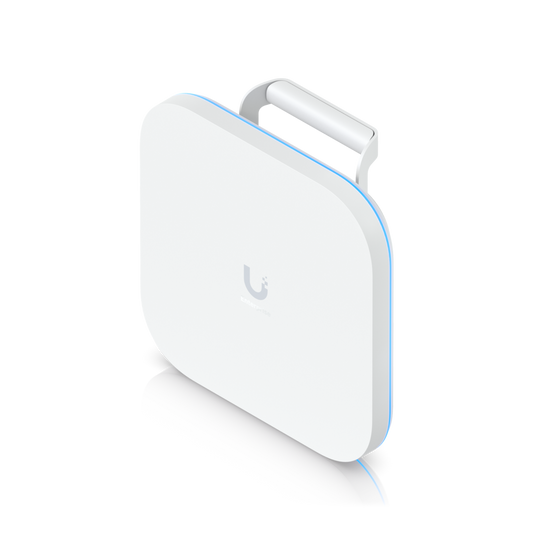
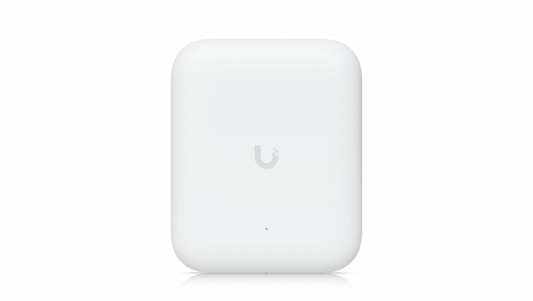
An outdoor access point brings WiFi to the spaces around your building: parking lots, patios, loading docks, courtyards, and athletic fields. It works like an indoor access point but lives in a sealed housing built for rain, dust, and temperature swings, so the signal reaches wherever people work and gather outside. We carry outdoor models from UniFi, HPE Aruba, Aruba Instant On, Netgear, Zyxel, and TP-Link Omada.
Weather Ratings: What IP55, IP66, and IP67 Mean
Outdoor access points are rated with an IP code, two digits that tell you how well the housing keeps out dust and water. The first digit covers dust: 5 means dust-protected, and 6 means fully dust-tight. The second digit covers water: 5 handles spray from any direction, 6 handles powerful jets like driving rain, 7 survives temporary immersion, and 8 survives continuous immersion. An X in place of the first digit, as in IPX5 or IPX6, means the unit was only tested for water.
In practice, IP55 and IPX5 units fit covered spots like porches, overhangs, and loading docks where rain blows in but doesn't pour down. IP66 and IPX6 models handle full exposure on a wall or pole. IP67 and IP68 models add protection against standing water and flooding, which suits stadiums, pool areas, and low mounting points.
Beyond the IP rating, look at the operating temperature range for sites with hard winters or desert heat, the wind rating if the access point goes on a tall pole, and UV and salt-air resistance for sunny or coastal installs. Check the product page for these details before you buy.
Omnidirectional or Directional Coverage
An omnidirectional access point spreads its signal evenly in every direction, which suits open areas with the access point in the middle, like a courtyard, pool deck, or outdoor dining area. A directional access point focuses its signal one way to reach farther, which suits long, narrow spaces like a parking lot, a row of loading docks, or a sports field covered from the sideline. When you need long range from a single mounting point, directional is the way to go.
Mounting, Power, and Mesh
Outdoor access points mount on a wall or a pole and run on Power over Ethernet, so one cable from a PoE switch or PoE injector inside the building carries both power and data. Use outdoor-rated cable for any run exposed to the weather. Where running a cable isn't practical, mesh-capable models connect wirelessly to another access point to stretch coverage across a yard or out to a detached building.
Indoor/Outdoor Models
Some access points are rated for both indoor and outdoor use. They fit semi-open spaces like covered patios, warehouse docks, and entryways, and they let you standardize on one model across a site. For fully enclosed spaces, browse our indoor access points, or see every wireless access point we carry.
Outdoor Access Point FAQs
Can I use an indoor access point outside?
Not reliably. Indoor access points aren't sealed against moisture or rated for outdoor temperatures, so rain, humidity, and heat can damage them even under an overhang. An outdoor or indoor/outdoor rated model is built for that exposure.
How far does an outdoor access point reach?
It depends on the antenna, the mounting height, and what's in the way. A directional model reaches farther in one direction than an omnidirectional model does all around it, and trees, buildings, and parked vehicles all shorten range. For long, open runs, mount high with a clear line of sight.