- Description
- Specifications
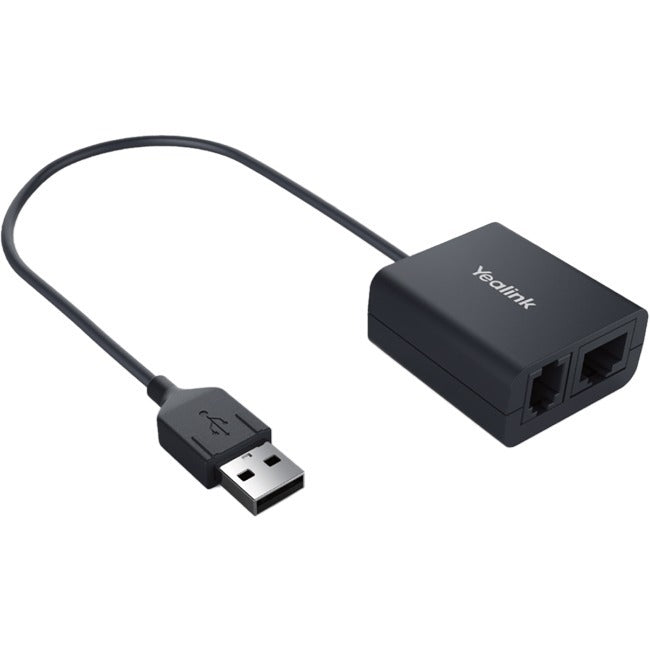
Yealink EHS40 EHS Cable for Wireless Headset Integration with Remote Call Answer and Hang Up, USB Plug-and-Play Connection, Three Included Y-Cords for Jabra, Plantronics, and Sennheiser Compatibility, and Support for Yealink T4 and T5 Series IP Phones
The Yealink EHS40 is an EHS cable that connects compatible Jabra, Plantronics, and Sennheiser wireless headsets to Yealink T4 and T5 series IP phones, enabling remote call answer and hang up directly from the headset without reaching for the phone. The adapter plugs into the USB port on the phone for a clean plug-and-play installation, and three dedicated Y-cords are included in the box to match the specific wiring requirements of each headset brand, so there is no guesswork about which cable goes with your headset.
The EHS40 supports Yealink T58A, T57W, T54W, T53W, T53, T48S, T46S, T42S, and T41S IP phones, covering both the current T5 series and the widely deployed T4 series. Once connected, the electronic hook switch link allows you to answer incoming calls, end active calls, and manage call control from anywhere within your wireless headset's range, keeping receptionists, call center agents, and office professionals mobile and productive without missing calls while away from their desk.
Where the Yealink EHS40 EHS Cable Fits
- Reception desks and call centers where staff use wireless headsets and need to answer calls without returning to the phone where the EHS40 links Jabra, Plantronics, or Sennheiser wireless headsets to Yealink IP phones for remote answer and hang up, plug-and-play USB installation eliminates complex wiring, and three included Y-cords cover all three major headset brands out of the box
- Office professionals who move around the workspace while staying available for incoming calls where the electronic hook switch connection extends call control to the wireless headset's full range, remote answer and hang up keep you productive away from your desk, and compatibility across nine Yealink phone models means the adapter works with your current or future phone
- IT departments standardizing wireless headset integration across Yealink phone deployments where one adapter model covers T4 and T5 series phones with USB plug-and-play setup, included Y-cords for Jabra, Plantronics, and Sennheiser eliminate separate accessory purchases, and the simple installation reduces support calls during rollout
What the Yealink EHS40 EHS Cable Delivers
- Remote Call Answer and Hang Up: Electronic hook switch connection for wireless headset call control. Answer and end calls from the headset without touching the phone. Full headset-range mobility during active calls.
- Three-Brand Headset Compatibility: Jabra Y-Cord, Plantronics Y-Cord, and Sennheiser Y-Cord included. Supports compatible wireless models from all three brands. No additional cables or adapters required.
- USB Plug-and-Play Installation: USB connection to the Yealink IP phone. No configuration or software installation required. Clean single-cable setup.
- Yealink T4 and T5 Series Support: Compatible with T58A, T57W, T54W, T53W, T53, T48S, T46S, T42S, and T41S. Covers both current and widely deployed Yealink IP phone models.