
Network Switches
Build the connections your network needs. Explore switches for desktops, offices, and larger installations.
509 products

- Free shippingOn orders over $1,000
- Business pricingVolume & trade discounts
- Expert supportSpec help from pros


-
Cisco Catalyst C1200-16P-2G Ethernet Switch - C1200-16P-2G
Regular price $598.99 USDRegular priceUnit price per -
Yealink RCH40 Room Cable Hub - 5-Port Gigabit PoE+ Switch, 90W Budget, 802.3af/at, Conference Room A/V Networking (1303166)
Regular price $189.00 USDRegular priceUnit price per -
SonicWall SWS14-48FPOE Managed PoE Switch - 48-Port GbE, 740W PoE Budget, 1U Rack-Mount (02-SSC-8382)
Regular price $2,231.99 USDRegular priceUnit price per -
SonicWall SWS14-24FPOE - 24-Port Gigabit PoE Managed Switch, 410W Budget, 4x 10G SFP+ Uplinks (02-SSC-2468)
Regular price $1,041.99 USDRegular priceUnit price per -
SonicWall SWS14-48FPOE 48-Port PoE Switch - 740W, 4x SFP+ (02-SSC-2466)
Regular price $1,680.99 USDRegular priceUnit price per -
SonicWall Switch SWS12-10FPOE - 02-SSC-2464
Regular price $385.99 USDRegular priceUnit price per -
SonicWall Switch SWS12-8POE - 02-SSC-2463
Regular price $351.99 USDRegular priceUnit price per -
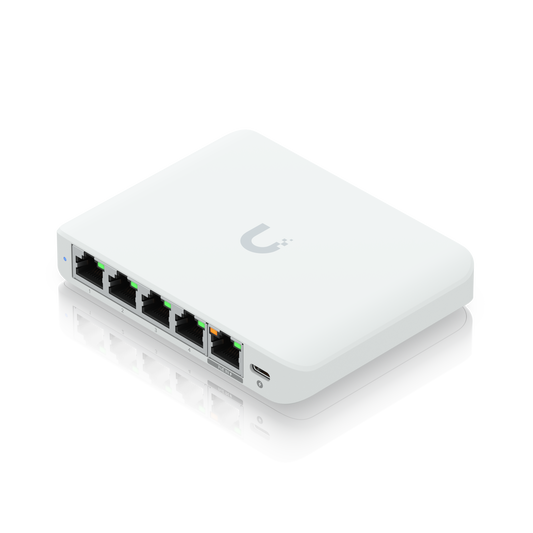
Ubiquiti UniFi Flex Mini 2.5G - 5-Port 2.5 GbE Managed Switch, PoE or USB-C Powered, Fanless (USW-Flex-2.5G-5)
Regular price $65.99 USDRegular priceUnit price per$74.99 USDSale price $65.99 USDIn stockSale -
SonicWall SWS14-48FPOE PoE Switch - 48-Port GbE, 4x 10G SFP+, 740W PoE Budget, 1U Rack-Mount (02-SSC-8383)
Regular price $1,939.99 USDRegular priceUnit price per



Network Switches Buying Guide
A network switch, or Ethernet switch, connects the wired devices on your local network so they can talk to each other and reach the internet through your router. It learns which device sits on which port and sends traffic for a known device only to that device's port, giving each device a dedicated link instead of the shared bandwidth of Wi-Fi. Shop network switches from Netgear, HPE Aruba, Cisco, Ubiquiti, TP-Link, Zyxel, and TRENDnet in desktop, wall-mount, rack-mount, and industrial DIN-rail models.
Types of Network Switches
- Unmanaged switches are plug and play with no setup, the simple way to add ports in a home or small office.
- Managed switches add VLANs, QoS, access security, and port monitoring, with smart managed models covering the core features through a web page or app.
- PoE switches send power and data over one cable to phones, cameras, and access points.
- Layer 3 switches route traffic between VLANs on the switch itself.
- 10G switches connect servers, storage, and closet-to-closet uplinks at 10 gigabits.
- Shop by brand with UniFi switches and Aruba switches.
How to Choose a Network Switch
Port Count
Count the wired devices you need to connect today, leave room to grow, and save one port for the cable that runs to your router.
Speed
Gigabit ports handle computers, printers, and desk phones. Multi-Gigabit ports (IEEE 802.3bz) run 2.5G over Cat5e and 5G over Cat6 at up to 100 meters, and Wi-Fi access points with 2.5G or faster uplink ports connect at 1 Gbps on a gigabit port and need a multi-gig port to run faster. 10GBASE-T copper needs Cat6A for a full 100-meter run, and SFP and SFP+ ports take fiber modules for long uplinks between closets and buildings, or copper modules and direct-attach cables for short runs.
PoE
Match the PoE standard to the devices you plan to power. PoE (802.3af) supplies up to 15.4 W per port, PoE+ (802.3at) up to 30 W, and PoE++ (802.3bt) up to 60 W or 90 W. Then check that the switch's total PoE budget covers all of the powered devices at once.
Mounting
Desktop and wall-mount switches fit on a desk, in a media panel, or in a small closet, and fanless models run silently. Rack-mount switches fit a standard 19-inch rack, and industrial DIN-rail switches mount inside control cabinets.
Network Switch FAQs
What is an Ethernet switch used for?
An Ethernet switch adds wired ports to your network. It connects computers, printers, phones, cameras, and access points so they can communicate with each other and reach the internet through your router.
Is a network switch the same as an Ethernet switch?
Yes. On a home or office network, network switch and Ethernet switch are two names for the same device, a switch that connects wired devices on a local network.
What is the difference between a switch and a router?
A switch connects devices within one network and forwards traffic using MAC addresses. A router connects networks and links your network to the internet, and by default a home or small office router runs the DHCP server that assigns IP addresses to your devices. Layer 3 switches add routing between VLANs inside your network.
Which is better, an Ethernet splitter or a switch?
A passive Ethernet splitter carries two connections over one cable, needs a matching splitter at each end and two open ports where the cable starts, and only supports 10/100 speeds. A switch is powered, turns one connection into several ports, and a non-blocking gigabit switch forwards traffic at full gigabit speed on each port at once, so a switch is the better choice for a modern network.
How do I connect an Ethernet switch?
Connect one switch port to a LAN port on your router, not the WAN port, then plug your devices into the other ports. Unmanaged switches need no setup, and ports with auto MDI/MDI-X connect with a standard Ethernet cable. Keep each copper cable run under 100 meters (328 feet).